
Mastering the Chaos: How to Stay Organized as a Virtual Assistant
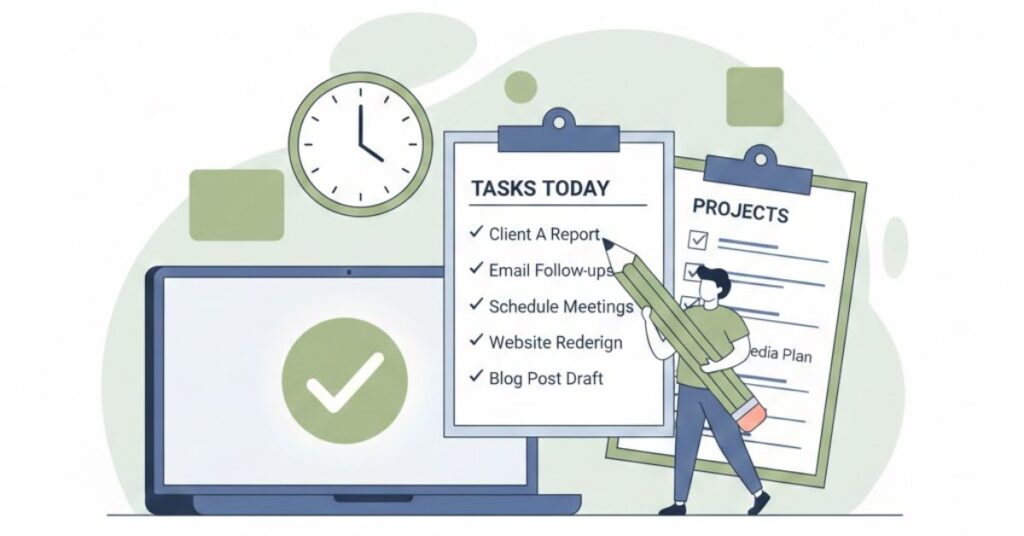
🖇️ Staying organized as a VA isn’t just about having a tidy desk; it’s about building a digital infrastructure.
🛠️ It requires a combination of the right tools, disciplined habits, and a proactive mindset. In this guide, we will explore the professional strategies you need to manage multiple workflows without losing your mind, ensuring you remain the reliable, high-performing professional your clients expect.
👩💻 In the world of remote work, a Virtual Assistant (VA) is often the backbone of a client’s productivity. Whether you are managing calendars for a CEO, handling social media for a small business, or coordinating complex project launches, your value is directly tied to your ability to stay organized. When you work from home, the lines between personal and professional life often blur, and without a rigorous system in place, it is easy for tasks to slip through the cracks or for burnout to set in.
1. Building a Robust Digital Command Center
👣 The first step to organization is centralizing your information. As a VA, you likely deal with a variety of platforms—Slack, Trello, Asana, and Google Drive are just the beginning. To prevent “tab fatigue,” you must establish a primary command center. This is your “source of truth” where every task, deadline, and client preference is recorded. By housing everything in one place, you eliminate the mental energy spent wondering where a specific piece of information is stored.
🔎 To do this effectively, choose one project management tool as your personal hub, even if your clients use different ones. Tools like Notion or ClickUp are excellent for this because they allow you to create different “views” for different clients. Create a dashboard that shows your high-level priorities for the week across all contracts. This bird’s-eye view prevents you from overcommitting and helps you spot potential bottlenecks before they become emergencies.
📌 Practical Tips for Your Command Center:
- The 5-Minute Rule: If a client sends a request via email or chat, immediately move it into your project management tool. Never rely on your inbox as a to-do list.
- Standardize Naming Conventions: Use a consistent format for files and tasks (e.g., [ClientName]_[Project]_[Date]). This makes searching for documents instantaneous.
- Client Handbooks: Maintain a “Wiki” for each client. Record their brand colors, preferred tone of voice, common logins (using a secure manager like LastPass), and recurring meeting links.
- Color Coding: Assign a specific color to each client across your calendar and task manager. This visual cue helps your brain switch contexts faster.
2. Strategic Time Management and “Deep Work” Blocks
💻 Organization is as much about managing your energy as it is about managing your time. One of the biggest challenges for VAs is the constant influx of small, reactive tasks—answering emails, fixing a typo on a post, or scheduling a quick call. These “shallow tasks” can eat up your entire day, leaving no room for the high-value work that actually moves the needle for your clients. To combat this, you must master the art of time-blocking.
⏲️ Time-blocking involves partitioning your day into dedicated chunks for specific types of work. For instance, you might dedicate 9:00 AM to 11:00 AM to “Deep Work” for Client A, followed by a 30-minute block for “Admin/Inbox” across all clients. By grouping similar tasks together—a process known as batching—you reduce the cognitive load of switching between different types of thinking. You’ll find that you can write three blog posts in 90 minutes if you do them all at once, whereas doing them at different times throughout the day might take three hours.
📌 Actionable Time Management Strategies:
- Utilize the Pomodoro Technique: For tasks that require intense focus, work in 25-minute intervals followed by a 5-minute break. This keeps your mind fresh and prevents the mid-afternoon slump.
- Set Communication Windows: Inform your clients that you check messages at specific times (e.g., 10 AM, 1 PM, and 4 PM). This prevents you from being at the mercy of notifications all day.
- The “Eat the Frog” Method: Complete your most difficult or dreaded task first thing in the morning. Once the biggest “frog” is eaten, the rest of the day feels organized and manageable.
- Buffer Time: Always leave 15–30 minutes of “blank” space between major blocks. Things often run over, and this buffer prevents one delay from ruining your entire schedule.
3. Maintaining Digital Hygiene and File Security
🗂️ A cluttered digital workspace is just as distracting as a messy physical office. As a VA, you are often entrusted with sensitive data, logins, and intellectual property. Organizing your digital files isn’t just a matter of convenience; it’s a professional responsibility. If a client asks for a file from six months ago and it takes you twenty minutes to find it, it reflects poorly on your organizational skills.
🗄️ Good digital hygiene starts with a proactive filing system. Use cloud storage like Google Drive or Dropbox and mirror the folder structure for every client. For example, every client should have a folder containing subfolders for “Current Projects,” “Archive,” “Financials/Invoices,” and “Reference Material.” At the end of every week, spend 15 minutes “resetting” your workspace: clear your downloads folder, close unnecessary browser tabs, and move completed tasks to the archive.
📌 Digital Hygiene Best Practices:
- Use a Password Manager: Never keep passwords in a spreadsheet or a sticky note. Use tools like 1Password or Bitwarden to keep client data secure and organized.
- Weekly Desktop Audit: Every Friday, delete any temporary screenshots or files from your desktop. A clean screen leads to a clean mind on Monday morning.
- Version Control: Always use clear versioning for documents (e.g., V1, V2, FINAL). Never name a file “Final_Final_V3” as it creates confusion and shows a lack of order.
- Inbox Zero (or Close to It): Use folders and filters in your email. Set up rules so that newsletters go to one folder and client-specific emails go to another, keeping your primary inbox reserved for urgent items.
4. Systems for Communication and Boundary Setting
📆 One of the most overlooked aspects of organization is the management of expectations. You can have the best calendar in the world, but if you don’t have systems for how you communicate with clients, your schedule will constantly be interrupted. Organization requires boundaries. This means having a clear “onboarding” process for new clients where you dictate exactly how tasks should be submitted and what the expected turnaround times are.
⚙️ By standardizing your communication, you remove the guesswork. Instead of a client texting you a random thought at 9 PM, they should know to add it to the project management board or send an email. When everyone follows the same “organizational rules,” the workflow becomes predictable. This predictability is what allows you to scale your business and take on more clients without feeling overwhelmed.
📌 Actionable Communication Tips:
- The Friday Wrap-Up: Send a brief weekly summary to each client. List what was completed, what is in progress, and what you need from them. This keeps the project organized without constant back-and-forth.
- Template Everything: Create templates for common emails, reports, and social media captions. Don’t reinvent the wheel every time you start a recurring task.
- Establish “Do Not Disturb” Hours: Clearly communicate your working hours. Use your Slack status or email auto-responder to let clients know when you are focused on deep work or away for the day.
- Task Request Forms: For high-volume clients, create a simple Google Form for them to submit new requests. This ensures you get all the necessary information (deadline, links, instructions) in one go.
🧠 Conclusion 🧠
🗃️ Staying organized as a Virtual Assistant is a continuous journey of refinement. It is the foundation upon which you build your reputation as a reliable and indispensable partner to your clients. By implementing a centralized command center, mastering your time through blocking, maintaining strict digital hygiene, and setting clear communication boundaries, you transform from a reactive worker into a proactive strategist.
🗒️ Remember, the goal of organization isn’t just to get more work done—it’s to give you the freedom to enjoy the flexibility that remote work provides. When your systems are working for you, you can log off at the end of the day with the peace of mind that everything is exactly where it should be.
🧳 Ready to level up your VA business? Start by picking one of the strategies above—like setting up a password manager or creating a weekly wrap-up template—and implement it today. Your future self (and your clients) will thank you!
🔎 Check our Products for additional resources 👉 Shop –
🎓 Enroll in our short courses 👉 Courses –
 Subscribe to our newsletter